導入
参考:
Input System
ドキュメント:
Input System | Unity マニュアル [公式]
Input System | Unity Manual [Official]
Quick Start Guide | Input System 1.1 Manual [Official]
How do I…? | Input System 1.1 Manual [Official]
Migrating from the old input system | Input System 1.1 Manual [Official]
Supported Input Devices | Input System 1.1 Manual [Official]
リンク:
新入力システム Input System を使おう | Unity for Pro [公式]
Introducing the new Input System | Unity Blog [Official]
学習:
セットアップ – Input System | Unity Learn [公式]
参考:
Input System を用いた入力処理の実装 | かいなり
Input System を用いて入力を取得する | aruk
Input Action
ドキュメント:
Actions | Input System 1.19 Manual [Official]
Input Action Assets | Input System 1.19 Manual [Official]
参考:
Player Input を用意しなくても Input Action Asset の入力を取得できる話 – Qiita
Input Action – 基本的な使い方 | ねこじゃらシティ
Input Action – 3種類のコールバック挙動 | ねこじゃらシティ
Input System の Action が反応しない問題 – Qiita
シフトキー
参考:
キーを押している間だけ処理を実行したい
参考:
Input Actions が保存されない
参考:
New input map is not saved – Unity Discussions [Official]
Custom Input Actions Added to Input System Package Not Saving? – reddit
チュートリアル
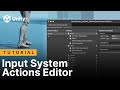 Input Action Editor (Official)